How to Use Remote Start on Your Car
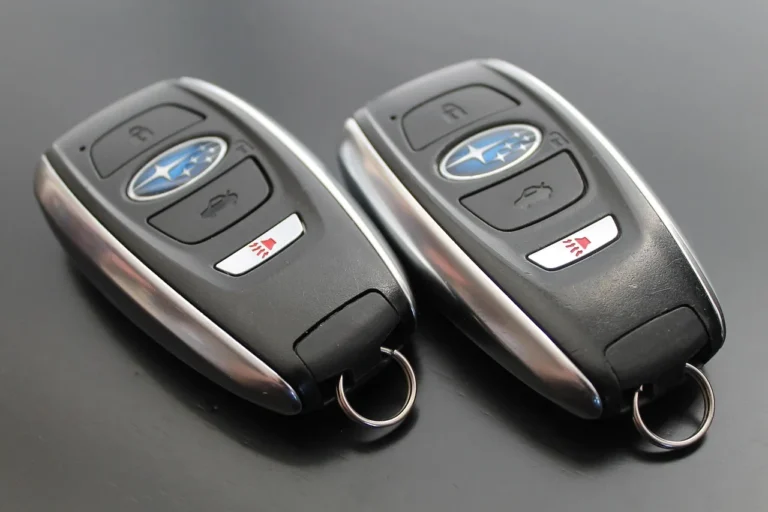
Use your key fob’s remote-start button, or the lock-press sequence your vehicle specifies, then hold the engine-start button for about 2–3 seconds. If the hazard lights flash but the engine does not run, a safety interlock or setup issue is blocking it. Using the wrong sequence wastes time and can hide low-battery, hood, gear, or brake-pedal faults. This guide shows the exact start checklist and the fastest checks for a no-start remote-start failure.
What remote start can do
Remote start can crank and run the engine without a key in the ignition, but the exact sequence depends on the vehicle and on whether the system is factory-installed or aftermarket. Control may come from a key fob or a phone app, and range is system-dependent, not universal.
Factory systems vs aftermarket systems
Factory remote start is built into the vehicle’s electronics. Aftermarket systems are added later and may need extra hardware, such as a key bypass or data module, so the starter can communicate with the vehicle’s anti-theft system.
Use the vehicle owner’s manual for the exact lock/start pattern, any accessory-mode requirement, and model-specific warnings. If the system was added later, follow the installer’s instructions too.
Key fob control vs phone app control
A key fob usually sends a short-range command. A phone app can start the vehicle through the system’s connected module, and the app may also lock or open the doors. Do not assume app control and fob control use the same button sequence.
Say your sedan starts from the fob but not from the app. That points to a pairing or account issue, not a bad engine-start circuit.
What you’ll need
- The vehicle owner’s manual
- The remote-start key fob or phone app login
- A fresh remote-start fob battery if the fob seems weak
- The vehicle key, if your system uses one for pairing or backup start
- A hood, door, and gear-position check before trying again
- Installer paperwork for aftermarket systems
Remote start activation checklist
| Vehicle type | Required preconditions | Button sequence | Expected confirmation | Top failure cause |
|---|---|---|---|---|
| Key-fob OEM systems | Doors closed; hood latched; transmission in Park; battery in fob strong enough | Lock the vehicle, then press and hold the remote-start button for about 2–3 seconds | Lights flash, then the engine starts | Wrong sequence or a door/hood/brake interlock |
| Aftermarket systems | System paired; bypass/data module installed if required; vehicle in Park | Use the installer-specified fob or app command | Parking lights or a siren/chime pattern, then engine run | Missing bypass module or pairing problem |
| Push-button start vehicles | Brake not pressed; key detected; accessory mode may be part of setup | Use the vehicle’s specified remote-start command, often from the fob or app | Light flash or horn/chime, then engine starts | Brake input or key-detection fault |
| Manual transmission vehicles | Aftermarket support; reservation mode completed; neutral verified; parking brake set | Use the system’s remote-start command only after reservation mode | System accepts the command and starts | Neutral not verified or reservation mode not set |
Start with the owner’s manual, then confirm the basic safety conditions: hood closed, doors shut, gear in Park, and no brake pedal input. If your vehicle uses a key fob, the common pattern is lock first, then hold the remote-start button for 2–3 seconds. Some systems use a phone app instead.
- Check the manual first. Find the exact lock/start sequence for your model. Some vehicles need a lock press before start; others need a paired app command or a specific accessory-mode setup.
- Verify the safety interlocks. Make sure the hood is fully latched, every door is closed, and the shifter is in Park. Remote start will usually refuse to run if one of those inputs is wrong.
- Use the correct command. For many OEM fobs, lock the vehicle and then press and hold the engine-start button for about 2–3 seconds. For an app, open the app and choose the start command shown for your system.
- Watch for the confirmation. Look for flashing lights, a horn chirp, or a chime, depending on the vehicle. If the lights flash but the engine does not stay running, a blocker stopped the start.
Suppose your crossover flashes the parking lights twice, then stops. That points away from the remote itself and toward a hood switch, brake input, or gear-position problem.
Why remote start won’t work
The fastest failures are usually simple: a weak fob battery, an open hood, a door not fully latched, or the brake pedal being seen as pressed. If those are clear, move to programming, pairing, or immobilizer checks.
Door, hood, brake, and gear interlocks
Remote start is designed to stop if the vehicle thinks it is unsafe. If the hood is open, the shifter is not in Park, or the brake switch reads active, the engine may flash lights and shut back off instead of running.
Remote-start fob battery problems
Swap the fob battery first. A weak battery can mimic a system fault, and a simple replacement is often enough. If another working fob starts the vehicle, the original fob battery or fob itself is the first place to look.
Programming, pairing, and immobilizer issues
Many vehicles need a specific programming mode, often entered with an ignition on-off sequence that includes Accessory mode. The vehicle may confirm that mode with a chime, ding, or buzz. Timing matters by vehicle, so the owner’s manual controls the exact count and pause.
Factory anti-theft systems commonly use transponder chip keys. If the remote-start system cannot send the right bypass or data signal, the vehicle may treat the attempt as theft and block starting. That is where a key bypass or data module becomes necessary on some installs.
If that didn’t work, try this next
If the battery and interlocks check out, move to pairing or reset steps. Newer vehicles may need dealer or manufacturer help if the reset path fails, especially when the system is built into the vehicle electronics.
- Replace the fob battery. Install a fresh coin-cell battery, then test again from close range. A weak battery can leave the lights working while the start signal fails.
- Repeat the manual sequence. Follow the exact lock/start pattern from the owner’s manual. For programming procedures, many vehicles use about four ignition cycles into Accessory mode before a sound confirms entry.
- Check pairing or module status. For aftermarket systems, confirm the key bypass/data module is installed and configured. If the system was changed or the battery was disconnected, re-pairing may be needed.
- Escalate to the installer or dealer. If the remote still fails, newer vehicles may need dealership help, especially when anti-theft integration is the blocker.
How long remote start runs
Most systems run for a preset interval and then shut off automatically. The exact time is vehicle- and system-specific, and many systems stop early if a door, hood, brake, or ignition condition changes after startup.
Once you open the vehicle and get in, some systems cancel the remote run when you press the brake and take over with the key or push-button start. That is normal behavior, not a fault.
Can you use remote start on a manual car?
Yes, but usually only with an aftermarket system designed for manual transmissions. Manual-transmission remote start needs reservation mode, neutral verification, and extra safety checks. Without those, the car should not start remotely.
Reservation mode in plain language
Reservation mode is the setup that tells the system the car was parked safely. The driver sets the parking brake, leaves the shifter in neutral, removes the key, and lets the system confirm the state before locking the car. The exact sequence varies by kit.
Why neutral confirmation matters
Neutral is critical because the engine should never start if the car might move. A proper manual-transmission install typically uses neutral verification and parking-brake sensing so the remote starter can refuse unsafe starts.
Common mistakes
- Pressing the remote-start button without locking first, when the manual requires a lock command
- Skipping the fob battery check and assuming the whole system failed
- Trying to remote start with the hood open or a door ajar
- Using the wrong command for a phone app system and a key-fob system as if they were the same
- Ignoring immobilizer or bypass-module requirements on aftermarket installs
- Assuming a manual-transmission car can use remote start without reservation mode
One practical prevention step is to keep a spare fob battery in the glove box. That saves time when the remote suddenly stops responding at close range.
Frequently asked questions
How do you know if your car has remote start already?
Look for a dedicated remote-start button on the fob, then check the owner’s manual for a start sequence. If the vehicle has a phone app for lock, open, and start, the app account or pairing screen should list remote-start control as an active feature.
How do you remote start your car with a key fob?
For many OEM systems, lock the vehicle first, then press and hold the remote-start button for about 2–3 seconds. If that does nothing, check the manual for the exact sequence, because some brands use different timing or require a second lock press.
Do I need to press the brake or open the doors first?
Usually no for the start command itself. In many systems, pressing the brake is what hands control back to the vehicle after entry, and opening the doors may cancel remote running on some models. The owner’s manual controls the exact behavior.
Does remote start work from a phone app or only a key fob?
Both are possible. Some factory systems and many aftermarket systems support a phone app, while others use only the key fob. The app, if supported, often also handles lock, open, and start from the same screen.
What should I do if my remote start fob needs to be reset?
Follow the manual’s programming steps exactly, including any accessory-mode cycle and confirmation sound. If the reset still fails on a newer vehicle, a dealer or the installer may need to re-pair the system or check the bypass module.
Is remote start bad for your car or engine?
Used as designed, remote start is not inherently harmful. The main risks come from poor installation, skipped safety checks, or repeated failed starts that point to an underlying brake, hood, or immobilizer problem. Keep the system maintained and follow the manual.
How long does a remote start run before shutting off?
It varies by vehicle and system. Many will shut off after a preset interval, and some will stop early if the hood opens, the brake is pressed, or another interlock changes. Check the manual for the exact run time.