Do Bluetooth Adapters Work in Older Cars Without Bluetooth?

Yes, Bluetooth adapters work in many older cars, but the right type depends on the head unit: AUX-input cars need about a 3.5 mm Bluetooth receiver, cassette decks need a cassette adapter, and radio-only cars typically need an FM transmitter. Pick the wrong type, and you usually get weak sound, call dropouts, or a setup that only charges your phone. This guide gives a compatibility decision tree so you can match each older-car setup to the adapter that works, and spot the ones that fail or disappoint.
Do Bluetooth adapters work in older cars without Bluetooth?
Yes, if the car has a path for the adapter to send audio into the stereo. A Bluetooth adapter can be a receiver that takes audio from your phone, or a transmitter that sends audio from a non-Bluetooth source. In older cars, the useful path is usually AUX, cassette, or FM radio.
What “work” means in practice
For music, “work” means your phone pairs, audio reaches the car speakers, and the connection stays stable enough for normal driving. For calls, it also means the microphone can pick up your voice clearly enough that the other person can understand you. Those are different tests.
An AUX setup can sound clean but still have poor microphone placement. An FM setup can be easy to install but pick up station noise or hiss. A cassette adapter can play music well enough for commuting, yet still leave call quality tied to a tiny built-in mic sitting near the dash.
Bluetooth receiver vs Bluetooth transmitter
A Bluetooth receiver is a common car choice. It pairs to your phone, then sends audio to the car stereo through AUX, sometimes through cassette accessories, or through an adapter with a built-in FM transmitter. A Bluetooth transmitter does the opposite job: it sends audio from a non-Bluetooth source to a Bluetooth speaker or headset.
That distinction matters because many older cars need a receiver, not a transmitter. If your source is a phone, tablet, or music app, the car accessory you want is usually a receiver with car audio output, not a transmitter.
The two connection paths that matter
- Wired path. Phone to Bluetooth receiver to 3.5 mm AUX input. This is the cleanest common setup.
- Radio path. Phone to Bluetooth receiver or built-in FM transmitter to an unused FM frequency. This is the fallback when the car has no AUX input.
Which Bluetooth adapter fits your car?
The right adapter depends on what the factory head unit already accepts. Start with AUX if it exists. If it does not, check for a cassette deck. If neither is present, FM is the usual fallback. If the car has no usable audio input at all, the setup may only charge a phone or support speakerphone-style calling.
Cars with an AUX input
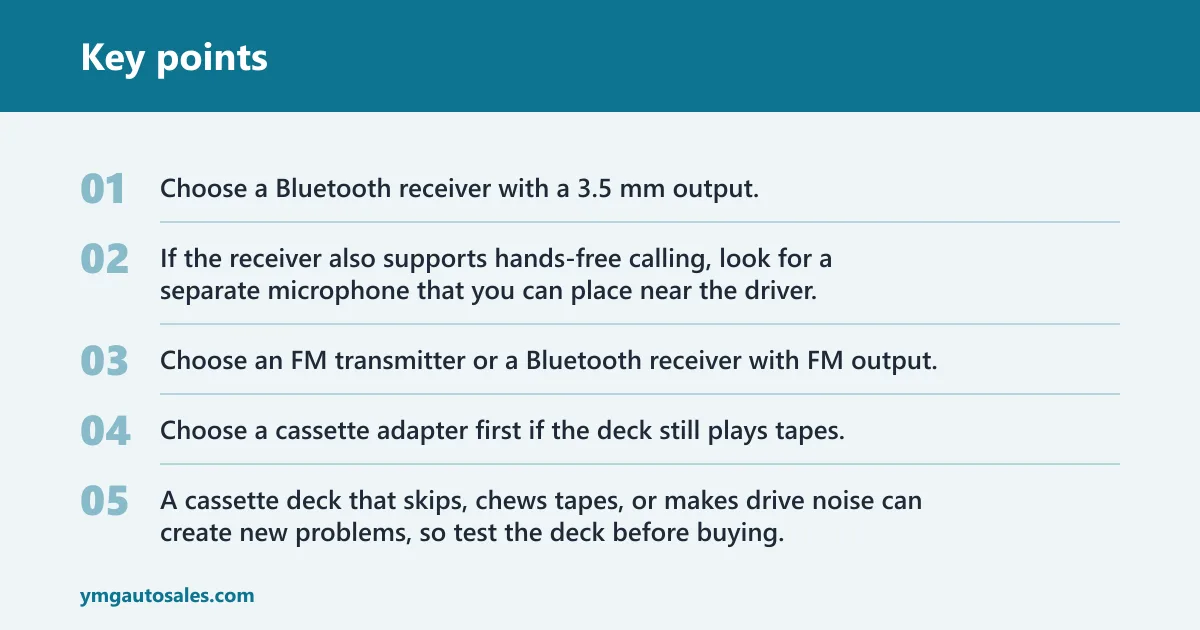
Choose a Bluetooth receiver with a 3.5 mm output. This is often the best fit for older cars because the audio path is wired, latency is low, and sound quality is often better than FM. If the receiver also supports hands-free calling, look for a separate microphone that you can place near the driver.
Cars with only FM radio
Choose an FM transmitter or a Bluetooth receiver with FM output. It broadcasts audio to an unused FM frequency and the car stereo plays it like a radio station. This works, but quality depends on local station congestion, signal strength, and how cleanly the adapter holds the chosen frequency.
Cars with a cassette deck
Choose a cassette adapter first if the deck still plays tapes. That gives you a wired audio path through the cassette mechanism, which often sounds cleaner than FM and needs no radio tuning. A cassette deck that skips, chews tapes, or makes drive noise can create new problems, so test the deck before buying.
Cars with no AUX, no USB, and no cassette
Choose an FM transmitter if you want music from the car speakers. If you only need calls, a phone mounted close to you plus a good speakerphone setup may work better than a weak radio path. In some cars, the best answer is to skip adapter-based audio and plan for a head unit upgrade.
Bluetooth adapter compatibility matrix
| Older-car setup | Best adapter type | Expected audio quality | Call quality | Setup steps | Common failure modes |
|---|---|---|---|---|---|
| AUX only | Bluetooth receiver with 3.5 mm output | Best of the common options; low latency and clean playback | Good if the mic is placed well; cabin noise still matters | Pair the phone, plug the 3.5 mm cable into AUX, select AUX on the head unit | Loose jack, static from a worn cable, mic too far from the driver |
| FM only | FM transmitter | Moderate to poor, depending on interference and station crowding | Often only fair; mic noise can be obvious at speed | Pick an unused FM frequency, set the car radio to match, power the unit continuously | Station bleed, hiss, alternator whine, frequency drift, pairing resets |
| Cassette deck | Cassette adapter or cassette-capable Bluetooth accessory | Usually better than FM, less crisp than AUX | Fair to good for short calls if the microphone is decent | Insert the adapter, pair the phone, start playback, adjust tape direction if needed | Deck noise, tape-eject issues, adapter cable wear, poor mic placement |
| USB power only | Bluetooth receiver or FM transmitter that can run from USB power | Depends on whether audio reaches AUX, FM, or only the adapter itself | Usually fair at best unless a separate mic is well placed | Use USB for power, then add AUX or FM as the audio path | Charges but sends no audio, low power output, adapter shuts off with ignition |
| No auxiliary inputs | FM transmitter; otherwise no direct adapter solution | Most variable; often the weakest of the workable options | Limited by cabin noise and microphone quality | Choose a quiet FM frequency, keep the unit powered, test both music and calls | Static, poor reception, frequency crowding, call echo, weak volume |
How do you use a Bluetooth adapter in an older car?
Most setups are plug-and-play, but the steps differ by connection type. A receiver needs pairing plus an audio path. An FM transmitter needs power and a clear station. A cassette adapter needs a working deck. If the adapter only charges, it is not actually connected to the stereo.
-
Check the available inputs.
Look for AUX, cassette, FM-only stereo, or a USB port that provides power. The adapter choice depends on which of those actually sends audio into the car speakers. -
Match the adapter type.
Use a Bluetooth receiver for AUX, a cassette adapter for a working tape deck, or an FM transmitter when the radio is the only path. Do not buy a transmitter when the car needs a receiver. -
Connect power correctly.
Plug the unit into the 12V accessory socket or USB power source if it needs external power. Make sure it stays on long enough to avoid dropouts during short stops and restarts. -
Pair your phone.
Open Bluetooth on the phone, select the adapter, and confirm the connection. If the model supports multipoint pairing, connect only the devices you actually need; extra pairings can trigger unwanted switching. -
Set the car audio source.
Switch the head unit to AUX, tape, or the target FM frequency. If the car stays on radio, the adapter may pair correctly but never reach the speakers.
Say your sedan has a factory head unit with a front AUX jack and a 12V socket. A simple Bluetooth receiver with a 3.5 mm cable gives you direct audio and usually cleaner calls than FM. Now change only one thing: if that same car has no AUX jack, the receiver no longer solves audio by itself.
Suppose a coupe has only FM radio and a cigarette-lighter socket. An FM transmitter can work for podcasts and music, but a busy city band may force you to retune often. That is the common point where drivers hear the difference between “connected” and “usable.”
Can you make hands-free phone calls in an older car?
Yes, many Bluetooth adapters support hands-free calling, but call quality is often weaker than music quality. The built-in microphone, echo cancellation, and noise reduction matter more than the Bluetooth link itself. In a noisy cabin, the other person may hear engine noise, tire roar, or wind before they hear your voice clearly.
Microphone placement
Place the microphone close to the driver, usually on the visor or A-pillar trim if the cable allows it. A mic buried near the center console often catches too much cabin noise and too little speech. Keep it away from vents, steering-column movement, and loose plastic trim.
Echo and cabin noise
Echo happens when the mic picks up the car speakers as well as your voice. Lowering volume helps, and so does a mic with stronger noise reduction. Still, older cabins with thin insulation, loud tires, or open windows can make call quality disappointing even when music sounds fine.
Voice assistant support
Some adapters let you trigger the phone’s voice assistant through a button on the unit. That can help if you want hands-free dialing or navigation prompts. It is useful, but it does not fix a bad microphone, and it does not make an FM setup sound like a wired one.
What sound quality should you expect?
Expect AUX to sound best, cassette second, and FM last in most older-car setups. AUX gives the lowest-latency wired audio path. FM adds more chances for interference and static. Cassette adapters sit between the two, though the deck itself can add mechanical noise or uneven playback.
Latency and sync
AUX is the lowest-latency option because the audio path is wired through a 3.5 mm connector. That matters if you watch navigation prompts or video audio through the car. FM and some cassette setups can lag enough that the delay is noticeable on speech or alerts.
Interference and static
FM sound quality can be affected by station interference, especially in cities with crowded dial space. A weak transmitter or a frequency too close to a real station can add hiss, fade, or brief cutouts. Alternator whine can also appear when the adapter power and car electrical system do not play nicely together.
Common failure modes
- Pairing resets after ignition cycles.
- FM station overlap causes noise or dropouts.
- Loose AUX plugs create crackle or one-channel audio.
- Microphones mounted too far from the driver reduce call clarity.
- USB power is present, but no audio path reaches the stereo.
Will a Bluetooth adapter drain your car battery?
It can, but the risk depends on how the adapter powers off. A unit plugged into a 12V accessory socket or USB port may stay active when the car is off if that outlet remains live. Most modern adapters draw little power, yet a continuous drain over days can still matter in an older car with a weaker battery.
12V accessory socket behavior
Some cars cut power to the socket with the ignition off. Others keep it live. If your adapter glows or stays connected after shutdown, check whether the socket is still powered. A unit that remains active for long periods should be unplugged when the car will sit unused.
USB power behavior
A USB power source can be safer if it shuts off with the key, but that depends on the vehicle. If the USB port stays live, treat it like a 12V socket. If the adapter loses power every time the ignition turns off, expect a brief reconnection delay at restart.
Frequently asked questions
How do you use a Bluetooth adapter in a car with no Bluetooth?
Pair the phone to the adapter, connect the adapter to the car’s audio path, and switch the stereo to that source. For AUX, that means the 3.5 mm input. For FM, it means matching the radio to the adapter’s chosen frequency. For cassette, it means inserting the adapter into the deck.
Will a Bluetooth adapter connect to my car radio or AUX input?
It depends on the adapter type. A Bluetooth receiver connects through AUX. An FM transmitter connects through the radio. A cassette adapter connects through the tape deck. If the stereo has only a power socket and no audio input, the adapter can still power up without sending sound to the speakers.
Do I need an FM transmitter or a plug-in Bluetooth receiver for my old car?
Use a plug-in Bluetooth receiver if your car has AUX. Use an FM transmitter only when the car has no AUX and no cassette path. If your car has both AUX and FM options, AUX is usually the better choice for cleaner audio and fewer interference problems.
Can I make hands-free phone calls in an older car with a Bluetooth adapter?
Usually yes, but results vary. The microphone location, echo reduction, and cabin noise matter more than the phone pairing itself. A car with a quiet cabin and a mic near the driver can sound acceptable. A noisy car with poor mic placement often sounds choppy or hollow to the other caller.
What if my car has no AUX port or USB port?
That usually leaves FM as the main adapter option. If the car also has no cassette deck, there may be no direct audio input at all. In that case, a Bluetooth adapter can still provide music through FM, but call quality and sound quality will be the most limited of the common setups.
Will a Bluetooth adapter drain my car battery?
It can if the unit stays powered after the ignition is off. A live 12V socket or always-on USB port can keep the adapter awake, which adds a small but continuous load. Unplug it if the car sits for long periods, especially in cold weather or with an older battery.
What is the difference between a Bluetooth receiver and a Bluetooth transmitter in a car?
A receiver accepts Bluetooth from your phone and sends audio to the car stereo. A transmitter sends audio from a non-Bluetooth source to another Bluetooth device. In cars, the receiver is the more common choice. The transmitter is more often used with TVs, old media players, or other source devices.
How much does a car Bluetooth adapter cost?
Prices vary by features. Basic AUX receivers are usually the least expensive, while FM transmitters with call support, display screens, or multipoint pairing cost more. A higher price does not guarantee better microphone quality, so focus on the connection type and the call setup you actually need.
What sound quality should I expect from a Bluetooth adapter in an older car?
Expect the best sound from AUX, decent sound from cassette, and the least consistent sound from FM. Music can still be usable over FM, but static, interference, and tuning drift are common. If you care most about audio fidelity, choose the wired path whenever the car supports it.