Android Auto vs Android Head Unit: What’s the Difference?

Android Auto runs from your phone and mirrors apps on the screen; an Android head unit is a dash-mounted computer; Android Automotive OS runs in the car itself. Pick the wrong one and you can end up with missing apps, a poor fit, or an upgrade path you did not plan for. This guide compares where the computing lives, what each system can do, and how to choose the right setup.
Where does Android live?
| Factor | Android Auto | Android head unit | Android Automotive OS | Winner |
|---|---|---|---|---|
| Device required | A compatible Android phone | The in-dash unit itself | The vehicle platform itself | Android Auto |
| Apps stored | On the phone | On the head unit | On the vehicle system | Android head unit |
| Connection type | USB or wireless, depending on the car or receiver | Usually independent after install, with optional phone links | Built into the car | Android Auto |
| Update path | Phone app and phone OS updates | Head-unit firmware and app updates | Vehicle software updates | Android Auto |
| Best-fit use case | Drivers who want projection with minimal hardware change | Older cars that need a full retrofit | Newer vehicles with factory integration | Android head unit |
Device and app location
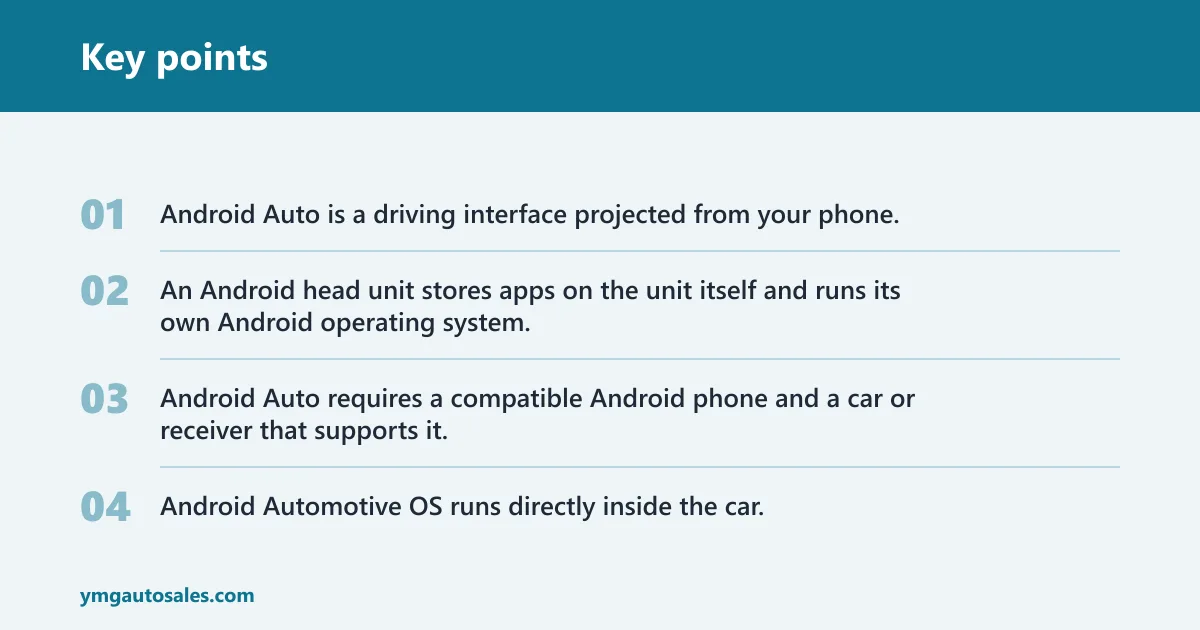
Android Auto is a driving interface projected from your phone. The phone keeps the apps, account context, and most of the computing, while the car screen shows a driver-focused interface. An Android head unit stores apps on the unit itself and runs its own Android operating system.
Connection and update path
Android Auto requires a compatible Android phone and a car or receiver that supports it. It can connect by USB or wireless, depending on the car. A head unit does not depend on a phone for its core functions, but it still needs its own software support, firmware updates, and install-time compatibility checks.
Where each one fits
Android Automotive OS runs directly inside the car. Some AAOS vehicles include Google built-in as a separate service layer, and that is not the same thing as the operating system itself. For buyers, the line matters: one option is phone projection, one is aftermarket hardware, and one is native vehicle software.
What is the difference between Android Auto and an Android head unit?
Android Auto is projection. The phone does the work, and the car or receiver displays the interface. An Android head unit is the computer in the dash, so it runs Android on the unit itself and can keep working even when the phone is not connected.
The difference matters when you want to know where apps live, where updates come from, and what breaks when something goes wrong. If Android Auto stops working, the issue may be the phone, cable, wireless pairing, or receiver support. If a head unit misbehaves, the problem is more likely in the unit’s software, install, or hardware.
Does Android Auto need a phone?
Yes. Android Auto requires a compatible Android phone and a car or receiver that supports it. Without the phone, there is no Android Auto interface to project, no phone apps to mirror, and no account context to carry into the car.
That is why Android Auto is usually the lighter choice for a daily driver. You keep your apps on the phone, then let the vehicle display them through USB or wireless connection when supported.
Connection paths that matter
- USB is common and often the most predictable path.
- Wireless Android Auto depends on support in the car or receiver.
- Both options still depend on the phone being compatible and paired correctly.
A common first-timer mistake is assuming every Android phone and every modern car will connect the same way. Some vehicles support only wired Android Auto, while others support wireless connection only after pairing is set up correctly.
What does an Android head unit add?
An Android head unit is an aftermarket in-dash receiver that typically replaces the existing screen and electronics. It runs Android on the unit itself, so it can store apps locally and act as a standalone system. That makes it a practical retrofit for older cars with outdated factory multimedia.
Commonly reported features include Bluetooth, Wi-Fi, LTE, GPS navigation, parking camera input, and some vehicle control support. Support varies by car, wiring, and unit, so do not assume every function will carry over automatically.
Typical retrofit use cases
- Older cars with a weak or broken factory screen.
- Drivers who want Waze, Spotify, or YouTube Music built into the dash.
- Vehicles that need camera support or a more current interface than the factory system provides.
Say your car has an aging factory radio with no useful navigation and no app support. An Android head unit can replace that stack with a larger display and a current interface, which is why it is often the better retrofit choice.
Can you have both systems?
A car can have Android Auto and an Android head unit, and some vehicles with Android Automotive OS may also support Android Auto. The systems are not mutually exclusive because they live in different places: phone, dash unit, or the car itself.
In daily use, that usually means you can choose the mode that fits the trip. Use Android Auto when you want the phone’s apps and account context. Use the head unit’s own apps when you want the unit to work as a self-contained system.
What changes in daily use
- Android Auto stays tied to the phone.
- The Android head unit can keep running without the phone for many tasks.
- Both may still share the same screen space, so the driver chooses the active mode.
Choose Android Auto if… / Choose Android head unit if…
Choose Android Auto if you want the simplest setup, already rely on your phone for navigation and media, and only need the car to display a familiar interface. Choose an Android head unit if you are retrofitting an older car, want a full dash replacement, or need built-in hardware features that the factory system does not provide.
Choose Android Auto if…
- You want phone-based apps with minimal hardware change.
- Your car or receiver already supports USB or wireless Android Auto.
- You prefer your apps and account data to stay on the phone.
Choose Android head unit if…
- You are replacing outdated factory multimedia in an older car.
- You want local app storage on the dash unit itself.
- You need features such as camera input, GPS, Bluetooth, or Wi-Fi in one aftermarket package.
Check compatibility before you buy. Android Auto support depends on both the phone and the vehicle or receiver, while a head unit depends on dash fit, wiring, vehicle controls, and the software features listed by the seller.
Desktop head unit comparison note
The Desktop Head Unit, or DHU, is an Android Auto emulator for testing. It is available on Windows, macOS, and Linux, and Android Auto is reported to support USB accessory mode for DHU 2.x. Developers also use ADB tunneling connection methods when they need to simulate the in-car connection on a computer.
That matters to buyers because it shows Android Auto is a projection system, not a full car operating system. The emulator exists to test the projected interface that normally depends on the phone and the vehicle-side receiver.
Check the current screen setup. Look at whether your car already supports Android Auto, has an outdated factory receiver, or needs a full replacement. That tells you whether you need projection or a retrofit.
Confirm phone compatibility. If you want Android Auto, verify that your Android phone and the car or receiver support it. If either side is missing support, the system will not function as expected.
Match the hardware to the goal. Pick an aftermarket Android head unit when you need the dash unit itself to do the work. Pick Android Auto when you want the phone to remain the main computing device.
Frequently asked questions
Does Android Auto run on the phone or on the car stereo?
It runs on the phone and displays on the car stereo or receiver. The phone handles the apps and account context, while the stereo serves as the display and input surface. That is why a compatible phone is mandatory for Android Auto to work.
Does an Android head unit need a phone to work?
Not for its core functions. An Android head unit is a standalone system with its own computing and storage, so it can run apps and basic media features without a phone connection. A phone may still add calling, syncing, or hotspot access, depending on the unit.
Can a car have both Android Auto and an Android head unit?
Yes. A car can support Android Auto and also use an Android head unit, since they are different layers of the system. You may switch between phone projection and the unit’s own Android apps depending on whether you want convenience or self-contained operation.
Which is better for an older car: Android Auto or an Android head unit?
An Android head unit is usually the better retrofit for an older car because it replaces the outdated factory multimedia system. Android Auto is better if the existing receiver already supports it and you only want projection from your phone. The right choice depends on how much hardware change you want.
What should I check before buying an aftermarket head unit?
Check dash fit, wiring, steering-wheel control support, camera input, and the features you actually need. Also confirm whether the unit supports Bluetooth, Wi-Fi, GPS, LTE, and the apps you plan to use. Compatibility matters more than the headline screen size.